An alarm with a little follow-through
Start your day
with a small win.
A few sums. A little movement. An everyday item to find. Give your alarm a mission that helps you get going.
Coming to iPhone · iOS 26.1 or later
Explore the missions
Find your way to wake up
Something for your mind.
Something to get you moving.
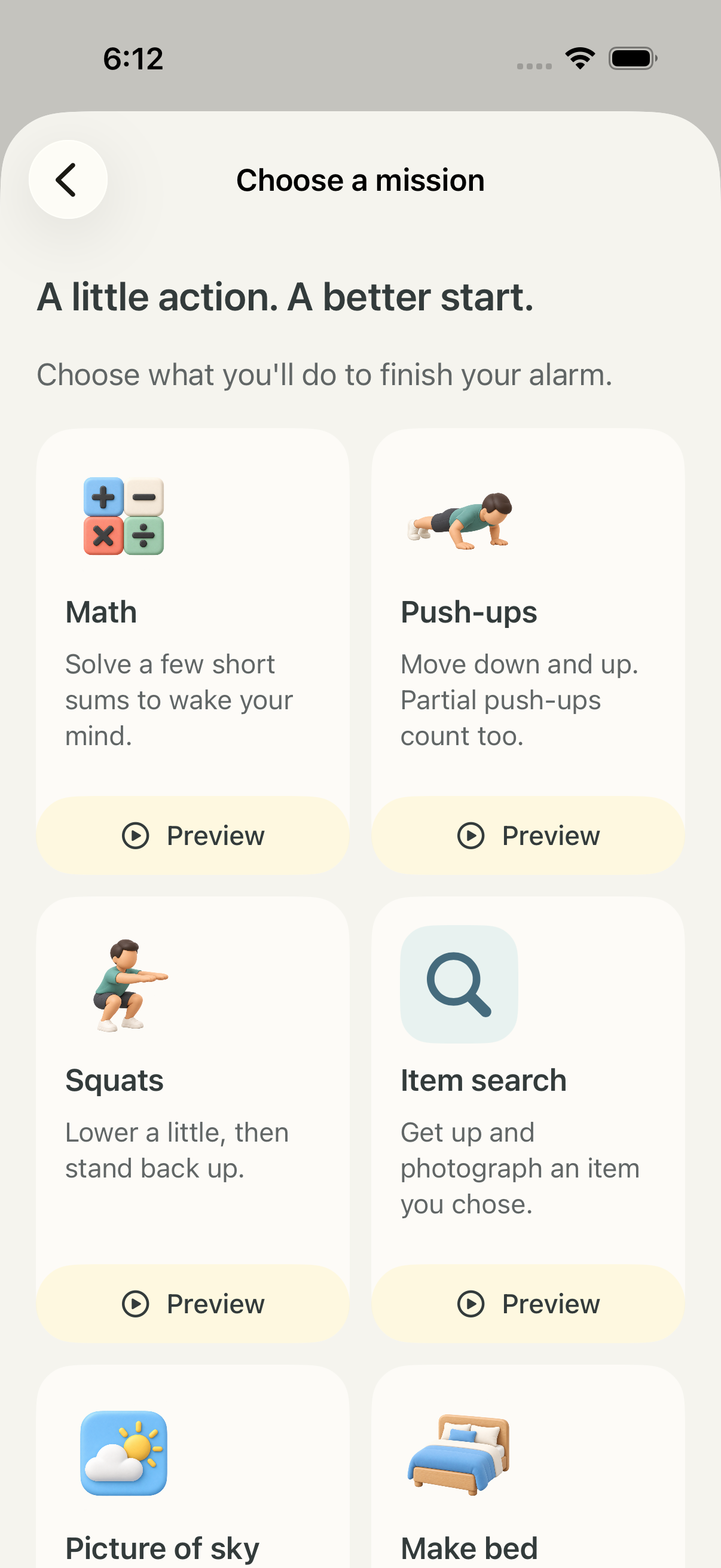
Solve math, match cards or guess a word. Try push-ups or squats. Find an item, photograph a tidy bed or the sky, or say an affirmation aloud.
Choose a mission for each alarm. Awakr keeps your next alarm close and your saved alarms easy to find.
Photo checks need an internet connection and your permission. An alternative mission and Emergency Stop are available when needed.
Make it your morning.
Your time. Your days.
Create alarms for different routines and choose when each repeats.
A mission you choose.
Give yourself a small action to complete when your alarm rings.
See the days add up.
Follow your streaks, browse your history and collect milestones. Keep your reason and signed commitment in view.
A few things to know.
Does Awakr record exercise or affirmation video?
No. Push-ups and squats use live on-device detection. The affirmation mirror is a live preview; exercise and mirror videos are not recorded or uploaded. Supported English speech recognition runs on your iPhone.
What happens to photos?
After you confirm, a still photo goes through our backend to OpenAI to check your mission. Our app database does not store the photo itself. See our privacy policy for processing and retention details.
How do I get help?
Visit Awakr support for alarm troubleshooting, purchase restoration and account deletion information.